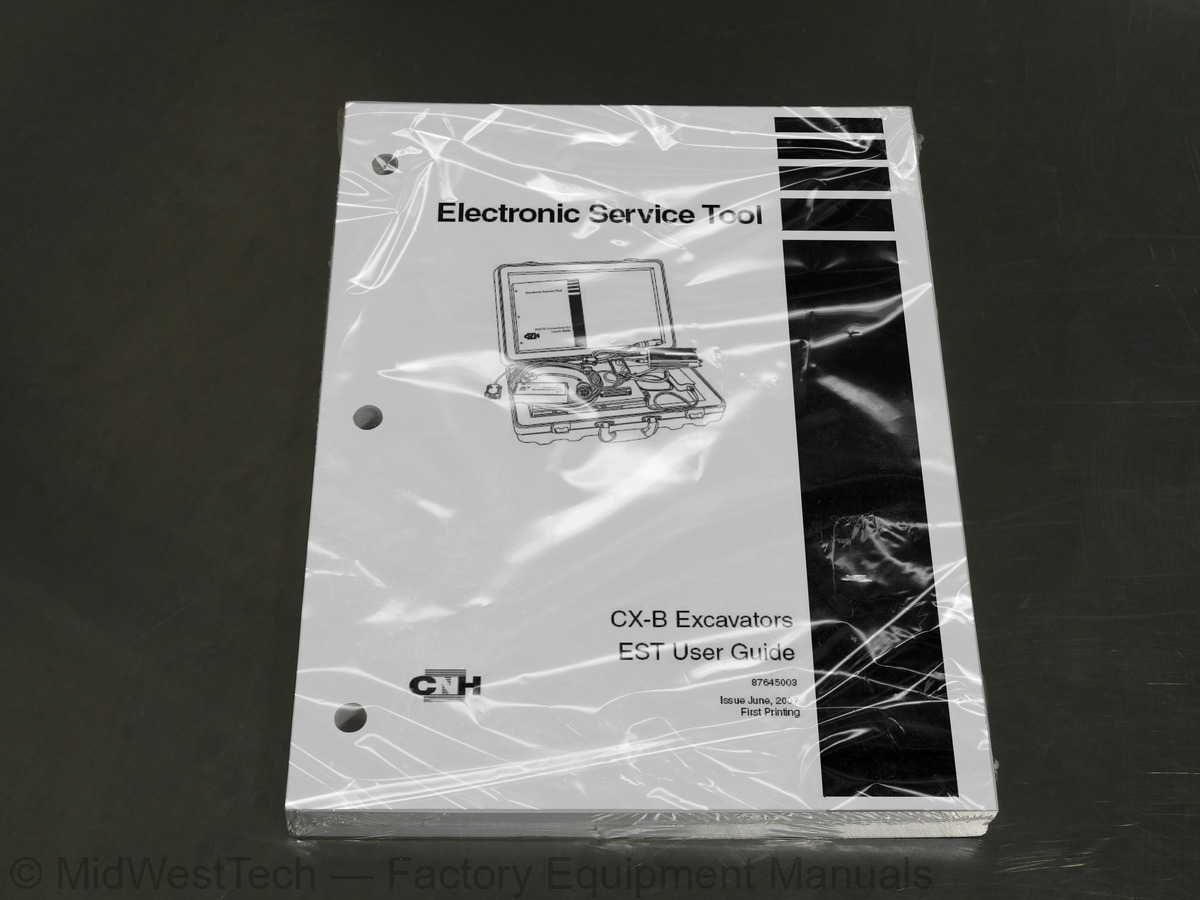
Case CX-B User Guide Excavator Operator's Manual
325 pages · Publication 87645003
Added to your cart. View cart
- Models
- CX-B User Guide
- Manual type
- Operator's Manual
- Pages
- 325
- Publication
- 87645003
- Condition
- Brand new
What's inside
From the manual's own table of contents: 116 topics. See sample pages (PDF, 381 KB)
- General Information
- Electronic Service Tool Subscription Key
- Comm Link Status (Communication Status)
- EST Communication Problems
- Protocol Adapter Power
- Reset Comm Link
- Protocol Adapter — Communication LED Indicator
- Communication Port Already Open
- Desktop Screen
- Desktop Power Settings
- Power Schemes
- Hibernate
- Application Title
- Tool Bar (Screen Function Selection)
- Changing Window Size Manually
- Minimize, Restore, Close, and Maximize Buttons
- Resizing the Screen Using the Mouse
- Screen Function
- File Selection
- Drop Down List
- Check Box
- Radio Button
- Related Topics and Information
- Operating a Pull Down Menu
Show all 116 topics
- EST Adapters for CX-B Excavators - EST Operations
- EST Adapters for CX-B Excavators - Engine Module Programming System (EMPS)
- Vehicle Connections
- Engine Control Module (ECM) Connection — Diagnostic Operation
- Engine Control Module (ECM) Connection — EMPS Operation
- Machine Control Module (MCM) Connection — Programming/Diagnostic Operation
- Dearborn Protocol Adapter
- Engine Module Programming System (EMPS) Protocol Adapter
- On the Machine
- Off the Machine
- On the Machine — EMPS Harness Connections
- Off the Machine — EMPS Harness Connections
- Connect Electronic Service Tool the ECM Diagnostic Connector
- View Faults — All Controllers — Clearing ECM Controller Faults
- Electronic Service Tool Connection Points
- EST Adapters — EST Operations
- EST Adapters - Engine Module Programming System (EMPS)
- EST Laptop Computer - Serial Communication Connection
- Cable and Adapter Help
- Connector Selection Screen
- Engine Diagnostic Connector
- Machine Diagnostic Connector
- Controller Version Information — One Controller
- Controller Versions — One Controller
- Controller Version Information — All Controllers
- User Entry Labels
- Save Information to Disk
- Open File From Disk
- View Faults — One Controller
- Column Width
- Column Sorting
- View List of Defined Faults
- View Faults — All Controllers
- Print Information
- Refresh
- Clear Faults on All Controllers
- Exit
- Add Item to Parameter View List
- Remove Item From Parameter View List
- Save File
- Open File
- Parameter Update Rate
- Types of Measurement — Units
- Log Files
- Log Parameter Settings
- Logging Parameters
- Start
- Status: Logging
- Marking the Log File
- Stopping the Log Session
- Saving the Log File
- Viewing the Log File
- Add to Parameter View List
- Renesas MCM Download Tool
- MCM Diagnostic Connector
- FDT Simple Interface
- Program Download and Disconnect
- Communication Adapters — EMPS Adapter Cable Identification
- Connecting the ECM to the Electronic Service Tool
- EMPS Protocol Adapter Box — Power Options
- Connection Procedure
- Mode Select
- Selection Menu
- Clear ECM Fault Memory
- Injector QR Code
- Selecting the Configuration Screen
- Machine Configurations
- Current Machine Configuration Values
- Modifying Machine Configuration Values
- Instructions Screen
- Machine History
- Save Data to File
- Choose Machine Data File Name
- View Histogram
- Injector QR Calibration Codes
- Injector QR Data Installation Tool
- Current QR Data
- Modifying QR Data — New Injector Installation
- Configuration - ECM Replacement
- Engine and Pump Test
- Target Engine Speed, Target Pump Power Current, and Target Pump Flow Current
- Hydraulic Fan Test
- Hydraulic Fan Speed Current
- Cylinder Injector Cutout Test
- Cylinder Injector Solenoid Click Test
- Cylinder Pre-Injection Stop Test
- Exhaust Gas Recirculation Valve Override Test
- Glow Plug Relay Override Test
- Related Topics and Linked Text
- ASIST Screen Information
- Finding Information in ASIST
- Shutting Down
Inside this manual
Real pages from this operator's manual (325 pages). Open the sample pages (PDF, 380 KB)
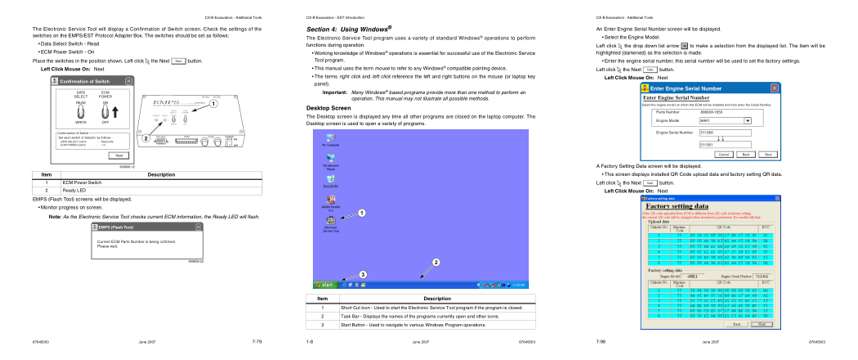
- Controls and operation, page 216: • Data Select Switch - Read
- Color page, page 17: CX-B Excavators - EST Introduction
- Color page, page 235: CX-B Excavators - Additional Tools
This is an operator's manual
Here's how it compares to the other manual types.
Service manual
Factory repair procedures and technical information such as specifications, troubleshooting, and wiring and hydraulic diagrams, for the models and systems the manual covers. See What's inside for its topics.
Operator's manual
Safe operation, controls, maintenance schedules, lubrication points, inspections, and basic checks. Repair procedures are in the service manual.
Parts manual
Illustrated diagrams with factory part numbers for identifying components and ordering parts. Repair procedures are in the service manual.
What it's used for
Factory manual for in-house farm and construction shop use. Straightforward, complete, and easy to follow. It contains the OEM information dealership service departments and parts counters use to diagnose problems, identify components, and perform maintenance or repairs correctly.
Service shops and owner/operators who repair their own equipment
Identifying correct parts and seeing how assemblies come apart and go back together
Keeping equipment running with less downtime
Factory manual, 325 pages
Quantity one is the manual described above.
Fast free USA shipping
Ships in 1 business day.
60-day returns
Free if the mistake is ours. A manual ordered in error must come back unopened in its shrink-wrap; you pay return shipping and a 20% restocking fee applies. Return policy
Binder not included
Manuals over about 300 pages may need a standard 3-ring binder, which you can buy locally to keep the pages organized for shop use.
Questions about model, serial number, engine coverage or contents? Contact us before purchasing and we'll help confirm it's the right manual. Please verify the manual type, machine model, serial number range and engine coverage before purchasing: manuals ordered in error carry a 20% restocking fee (return policy).